Send short, separate gift reminder emails that ask for one thing only: a contribution, with a single link to your event page. Plan well-timed nudges, including a reminder at least 48 hours before the event, instead of weekly blasts. Open with thanks and a one-line purpose for the fund, so the ask feels personal rather than transactional.
TL;DR:
- Send the primary reminder before the contribution deadline, no more than once weekly, with a final nudge at least 48 hours before the event.
- Open with thanks, explain the fund’s purpose in one sentence, use one prominent contribution link, and tell guests they will receive a confirmation or receipt.
- Segment guests by relationship, personalize greetings, and offer a named contact or QR code for people who are less comfortable contributing online.
- Use open and click data to identify priority guests who need personal follow up, rather than sending the same automated reminder again.
Table of Contents
- When should you send gift reminder emails?
- How do you write a gift reminder email that gets opened and answered?
- How should you personalize and segment your guest list?
- What gift reminder email templates can you copy?
- How do you set up delivery, tracking and mobile design?
- How do you keep the ask polite and voluntary?
- How can you improve open and click rates over time?
- How do you connect reminder emails with social media and your event page?
- How do you answer common hesitations before guests voice them?
- What legal and privacy points should hosts keep in mind?
- A host’s note on getting the first sentence right
- Set up your reminders and contribution page with Zelo
- FAQ
- Sources
When should you send gift reminder emails?
Timing does most of the work. A reminder that lands at the right moment feels helpful. The same message sent too often feels like pressure. Event communication experts quoted by BizBash advise sending a reminder at least 48 hours before the event as a last-minute nudge, avoiding more than one email a week, and considering a heads-up when the lead time is long.
Here is a schedule that works for most milestone events:
- Optional heads-up: If your event is months away, send a brief note about a week before you want contributions to begin. Tell guests the page is live and what the fund is for.
- Primary reminder: Send this before the date you need contributions closed, or before your RSVP deadline. This is the email most guests will act on.
- Final nudge: Send a short, friendly message at least 48 hours before the event. Keep it to a few lines.
- Frequency cap: Never email the same audience more than once per week, and avoid sending repetitive reminders.
If a guest has already contributed, remove them from the list for later reminders. Few things irritate a generous person more than being asked twice for something they have already done. Most email tools and event pages let you filter by status, so use that option whenever it is available.
For a wedding, count backward from the date you need funds, not from the ceremony. For a birthday or baby shower, the same logic holds: choose your close date first, then place each reminder around it.
How do you write a gift reminder email that gets opened and answered?
Each email should do one job. If you are also mentioning parking, dress code or the schedule, move that into a separate logistics email. Mixing a gift request with event details dilutes both messages and tends to frustrate guests who just want to find the one thing they need.
Lead with gratitude, then state the purpose. Thank guests for celebrating with you, then say in one sentence what contributions will go toward: a honeymoon, a first home, a graduation trip, a charity close to your heart. Framing the ask as an invitation to take part in something meaningful, not as a bill, makes guests feel honored rather than pressured. We cover the thinking behind this in our piece on the psychology of giving.
Write subject lines that are short, specific and purposeful. Aim for a clear human voice, not marketing language. Two formulas cover most situations:
- Purpose-led: “A small favor for [Name]'s honeymoon”
- Urgency-led, for the final nudge: “Last chance to contribute to [Name]'s gift”
Give the email one prominent call to action. Use a button, or make the contribution link the first link in the message. Add a single short line for guests who prefer an offline option, such as a name and phone number to contact.
Tell guests what they will get. One sentence confirming that contributors receive a confirmation or receipt removes a common hesitation and builds trust.
Event communication guidance: Send a reminder at least 48 hours before the event and avoid emailing more than once a week, as BizBash’s event correspondence guide recommends. Fewer, better-timed messages respect your guests’ inboxes and keep your ask welcome.
A quick checklist before you hit send:
- One purpose, one link, one ask.
- Gratitude in the first line.
- The fund’s purpose in a single sentence.
- A confirmation or receipt note near the button.
- A subject line a guest could understand without opening the email.
How should you personalize and segment your guest list?
A generic message to everyone reads as a mass mailing, and guests treat it that way. Splitting your list into a few groups lets you adjust tone and detail without writing dozens of separate emails.
Start with three broad groups:
- Close family: Warm, direct and brief. They often want to know exactly how funds will be used.
- Friends: Casual and personal, with a shared memory or inside joke if one fits.
- Colleagues and plus-ones: Polished and light. A short purpose line and a clear link are plenty.
Personalizing the greeting is the minimum. For closer guests, add one sentence that names your relationship, their role in the event or a memory you share. Even changing the recipient’s name instead of sending a generic BCC blast helps your message feel like it was written for them.
Think about comfort with technology, too. Some guests, often older relatives, are less at ease with online contributions. Offer a low-tech route: name a gift liaison they can call, or print a QR code on a card or invitation that opens your contribution page.
For the people whose response matters most, such as the wedding party or immediate family, skip the template and send a one-to-one note. A personal message from you carries weight that no automated email can match.
Pro Tip: Change the first sentence of every email for your closest guests. Naming a specific memory can make the message feel more personal than a subject-line trick.
What gift reminder email templates can you copy?
Below are three templates you can adapt in a few minutes. Swap in names, dates and your own purpose line, and keep the single link in place.
Gentle nudge (before your close date)
Subject: A small favor for [Name]'s honeymoon
- Hi [Guest], thank you for being part of our celebration.
- We are putting together a honeymoon fund and would love for you to be part of it if you would like to.
- You can contribute here: [Contribution button]. You will receive a confirmation right away.
Urgent reminder (at least 48 hours before the event)
Subject: Last chance to contribute to [Name]'s gift
- Hi [Guest], we are almost there and wanted to share one last note.
- Contributions close on [date]. If you would like to take part, the link is below.
- [Contribution button]. Thank you, and see you soon.
Thank-you plus final reminder
Subject: Thank you, and one last note
- Hi [Guest], your support already means so much to us.
- If you would still like to contribute toward [purpose], the page stays open until [date]: [Contribution button].
- Either way, we cannot wait to celebrate with you.
A few small edits make these fit almost any situation:
- Swap the greeting for each segment.
- Shorten the body to two lines if you plan to send it by text message.
- Add an offline line such as “Prefer not to give online? Call [Name] at [phone].”
If you want more wording ideas for the thank-you side of the exchange, our guide on how to write a group gift message and our thank-you message templates pair well with these.
How do you set up delivery, tracking and mobile design?
Reliable delivery is mostly about using the right tool and building in a little discipline.
- Schedule segmented sends. Use an email tool or your event platform to queue each reminder to the right group. Avoid pasting everyone into a BCC field, since it looks impersonal and can land in spam folders.
- Track opens and clicks. Most tools show who opened and who clicked. Use that data to follow up personally with guests in critical groups who have not responded, instead of sending the same message again.
- Design for phones first. Many guests will read your message on a phone. Keep the subject line short, use a single button as the call to action, choose a legible font size and add alt text to any images so the message still works when pictures do not load.
- Explain the offline option in the footer. A short line about how to give another way, such as a named contact or QR code, keeps guests who are uncomfortable with online payment included.
Before the first send, email a test to yourself and open it on both a phone and a computer. Check that the button works, the contribution link loads and the name placeholders are filled in. Testing helps prevent the embarrassment of sending a broken link to your entire guest list.
How do you keep the ask polite and voluntary?
Etiquette is what separates a reminder guests welcome from one they resent. The goal is a message that feels like an invitation to join something meaningful, not a collection notice.
- Open with thanks. Start every email by appreciating the guest, before any mention of contributions.
- Close with what happens next. Tell guests they will receive a confirmation or receipt and briefly say how funds will be used.
- Keep the language voluntary. Phrases like “if you would like to” and “no pressure at all” make participation a choice.
- Stay brief and friendly. A short note respects the reader. Avoid repeating the same request in different words, and never guilt guests for not having given yet.
If a guest does not respond after your final nudge, let it rest. Their presence at the celebration matters more than whether they contributed.
How can you improve open and click rates over time?
You do not need a marketing team to learn what works. A few simple habits give you better results with each message you send.
Test one thing at a time. If your tool supports it, send two versions of the same email to small, similar groups and change only one element, such as the subject line. Compare which one earns more opens or clicks, then use the winner for the rest of the list. Changing several things at once makes it impossible to know what made the difference.
Good elements to test:
- A purpose-led subject line versus an urgency-led one
- A button versus a plain text link
- A personal first sentence versus a standard greeting
- A morning send versus an evening send
Optimize timing for your own guests. Weekday evenings suit many people who check email after work, while some groups respond better on weekend mornings. Watch when your first reminder gets the most opens and schedule the next one at a similar time.
Read the signals. Many opens but few clicks usually means the message is landing but the call to action is unclear or buried. Few opens points to the subject line or the send time. Adjust the weaker part and leave the strong part alone.
Follow up personally where it counts. For your closest guests, a quick personal message after the email often outperforms another automated nudge. Tracking tells you whom to contact, and a human voice does the rest.
Keep notes on what you tried. Even a small spreadsheet with subject lines, send times and results helps if you are hosting more than one event or planning a second reminder cycle.
How do you connect reminder emails with social media and your event page?
Your email is one touchpoint among several. When your event page, social posts and emails all say the same thing in the same tone, guests recognize the request and trust it.
Keep your event page current. Your page is where every reminder leads, so make sure it shows the fund’s purpose, a clear way to contribute and any progress updates you want to share. A goal tracker or a short note such as “we are halfway there” gives guests a reason to act now. Our overview of what a gifting platform is explains how a contribution page fits together.
Echo the email message elsewhere. If you are posting in a group chat, family thread or private social page, reuse the same purpose line and link. Keep it short, and never tag or single out guests who have not contributed.
Match timing across channels. Post a gentle update the same day your primary reminder goes out, so guests who see it in two places get a consistent prompt. Skip posting on days when no email is going out, to avoid a feeling of constant asks.
Use updates as soft reminders. Sharing a photo, a short story about what the fund will make possible, or a thank-you to early contributors keeps the page feeling alive without a new request. Thank-you posts often nudge hesitant guests more effectively than another reminder.
Mind your audience. Public posts reach people who were not invited. For events where privacy matters, stick to private groups and direct links, and keep the full details inside the email itself.

How do you answer common hesitations before guests voice them?
Most guests who skip a contribution are not saying no. They are unsure about something. A short, calm line in your email can resolve the doubt before it becomes a reason to wait.
- “I already bought a gift.” Say plainly that a physical gift is lovely and a contribution is entirely optional. Guests relax when they hear both are welcome.
- “I am not sure how to give online.” Include a named contact or a printed QR code, and mention that contributing takes only a couple of minutes.
- “I am worried about where the money goes.” State the fund’s purpose in one sentence and note that contributors receive a confirmation. Specific purposes feel more trustworthy than vague ones.
- “Is this required?” Use voluntary language such as “if you would like to.” Guests who feel free to decline are more willing to say yes.
- “What about fees?” If guests ask, be straightforward. On Zelo, guests do not create an account to give, and our platform fee is a percentage that applies per contribution and is paid by the host, not the guest.
- “I cannot give much.” Reassure guests that any amount is appreciated. Avoid suggesting minimums.
Keep these lines light and put them below the main call to action, so they support the ask without cluttering it. If you hear the same question from several guests, add the answer to your next reminder or your event page.
What legal and privacy points should hosts keep in mind?
Gift reminder emails are personal messages between people who know each other, but a few basic habits protect your guests and keep you on the right side of good practice.
Use contact details only for your event. Email addresses guests shared for an invitation or RSVP should be used for that event. Avoid adding them to unrelated mailing lists or sharing the list with others.
Respect opt-outs. If a guest asks you to stop sending reminders, honor the request right away. A polite one-line reply is enough, and it preserves goodwill.
Keep the list private. Send individual or segmented messages, not one email that exposes every recipient’s address. This also avoids the impersonal feel of a BCC blast.
Be clear about payment. Say who receives the funds and how they are used, and explain what confirmation guests will receive. Direct, transparent language helps guests feel safe contributing.
Protect payment details. Never ask guests to send card numbers or bank details by email or text. Direct them to a secure checkout page instead.
Check the rules where you live. Data protection and email consent rules differ by region, and they can change. For anything beyond a personal event, such as a charity fundraiser or an event with many guests, review the guidance from your local data protection authority or ask a qualified professional.
A host’s note on getting the first sentence right
If you take one habit from this guide, make it this: personalize the first sentence and make the link impossible to miss. Everything else, from timing to subject lines, matters less than a warm opening and a clear button. Pick one of the templates above, send it to a small group and watch the opens and clicks before you write the next reminder. What you learn from the first send will shape the second.
— Rodrigo
Set up your reminders and contribution page with Zelo
Reminder emails work best when the page they point to is clear and easy to use. With Zelo, we give you a personalized event page for your wedding, birthday, baby shower, graduation or any other milestone, plus a secure contribution link guests can use, with no account needed to give.
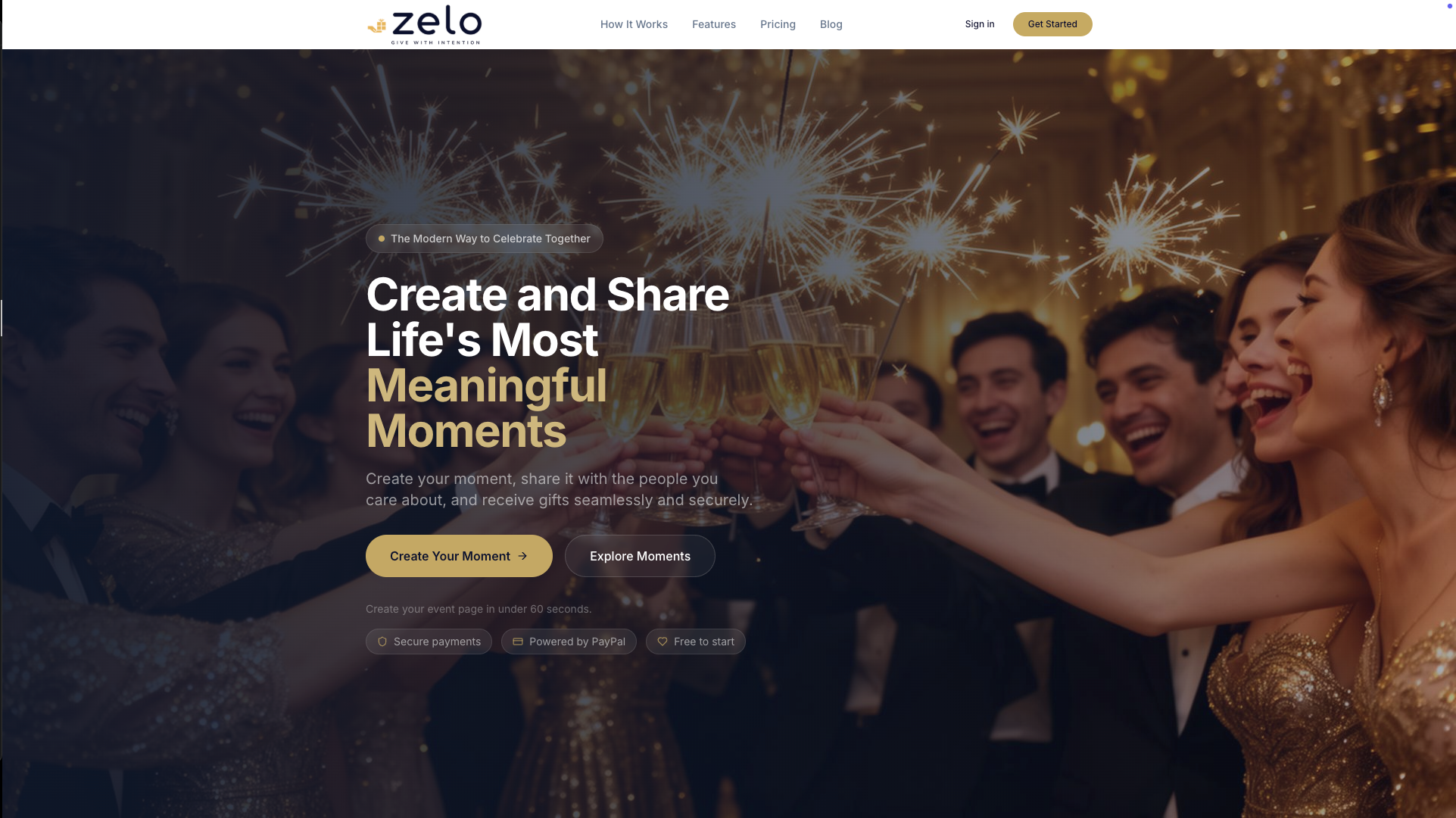
- A shareable link and simple button you can drop into every reminder
- Goal progress tracking so guests can see how the fund is coming along
- Guest invitation and communication tools to keep your messages organized
Ready to try it? Getzelo and start sending reminders that guests are glad to receive.
FAQ
How many gift reminder emails should I send?
Send a small number of reminders, spaced so you do not email more than once a week. A heads-up is optional, and you should include a final nudge at least 48 hours before the event, as event communication experts advise.
Should I include gift requests in my invitation or logistics emails?
Keep them separate. A gift request mixed with parking, dress code or schedule details dilutes both messages. A short, dedicated email with one link gets a clearer response.
What should a gift reminder email say?
Open with thanks, give a one-sentence purpose for the fund and add a single button to the contribution page. Close by telling guests they will receive a confirmation after contributing.
Is it rude to remind guests about contributing?
Not when the reminder is brief, warm and clearly optional. Keep the tone invitational, avoid repeating the request in the same message and stop after your final nudge.
Recommended
Enjoyed the article? Share it!